Customers · Legacy badge
The legacy 77os badge
This existing optional badge retains the legacy 77os artwork and wording. Your listing does not depend on it.
Badge preview
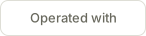
SVG, 146 × 36. Links to your own listing on 77systems.ai.
Add it to your site
Use the URL of your approved listing on 77systems.ai. Paste one of the snippets into your site's custom HTML or code block, replacing YOUR-LISTING-URL with your listing link (for example, https://www.77systems.ai/customers/77-bark-ave).
Preview the page and check that the badge opens your own listing. For a listing URL or correction, email hello@77systems.ai.
Badge
<a href="YOUR-LISTING-URL">
  <img src="https://www.77systems.ai/badge/operated-with-77os.svg" alt="Operated with 77os" width="146" height="36" loading="lazy">
</a>
Badge with rel="nofollow"
<a href="YOUR-LISTING-URL" rel="nofollow">
  <img src="https://www.77systems.ai/badge/operated-with-77os.svg" alt="Operated with 77os" width="146" height="36" loading="lazy">
</a>
Use this one if your site marks outbound links nofollow. Either version is fine.
Text link
<a href="YOUR-LISTING-URL">Operated with 77os</a>For a text-only footer. Add rel="nofollow" if you prefer.
How the badge works
- It is optional. A listing on the customers page does not depend on it.
- It is not a contract term. No 77systems agreement requires a link back.
- rel="nofollow" is fine, and so is taking the badge down at any time.
- It links to your own listing on 77systems.ai. Keep the wording as supplied: “Operated with 77os”.
- You choose where it goes, for example an About page or the footer.
The badge retains its legacy wording. It is not a certification of current OfficeSpace integrations, product readiness or business results. Read the workflow examples and their scope alongside the listing.