OfficeSpace by 77systems
Your business
in a box.
Give your agents the tools to run your business.
OfficeSpace for your agents. Business context, departments, connected workflows, tools and approvals, with outcomes you can review.
Contact us for a free demo.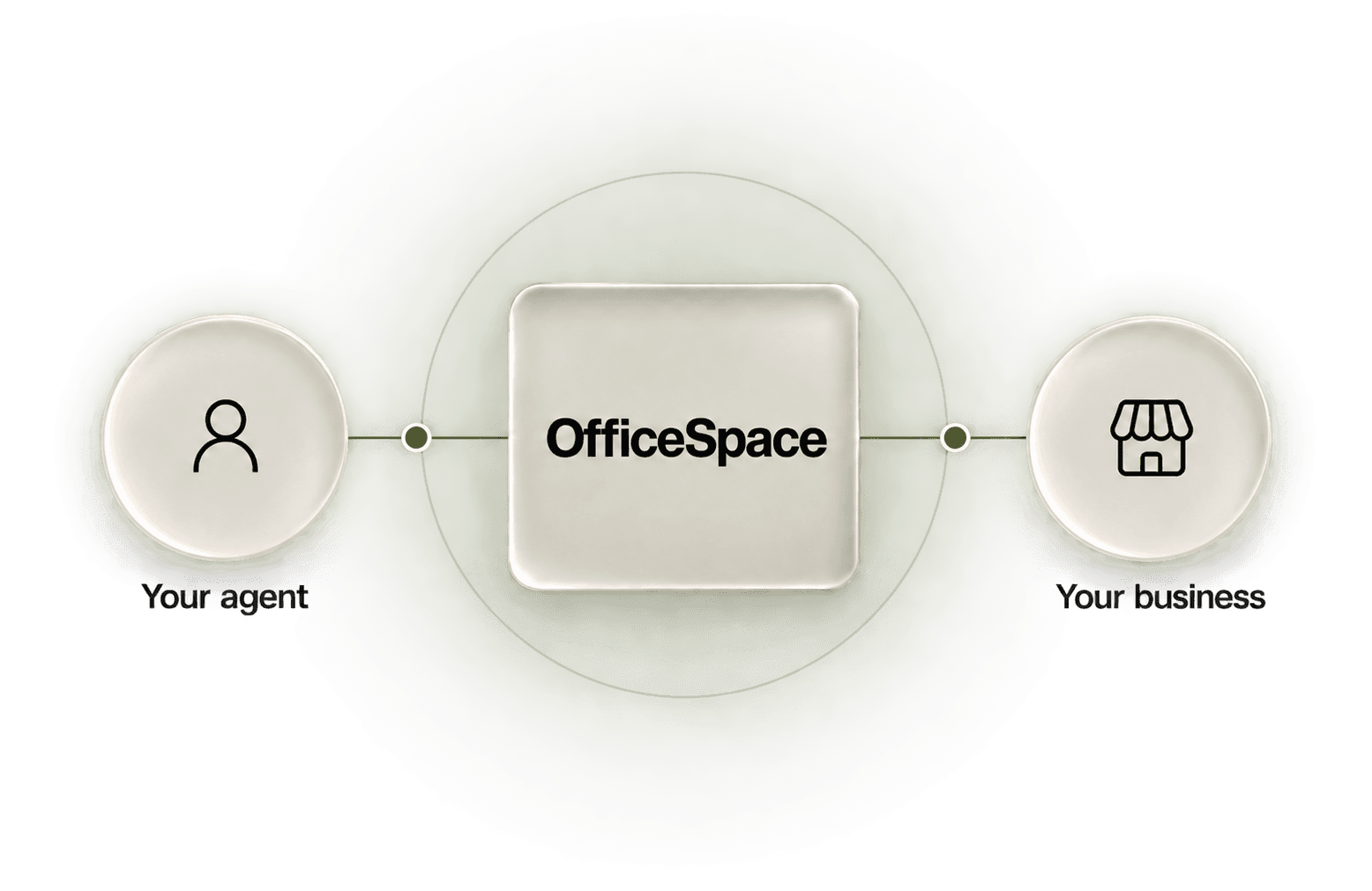
01 · The whole picture
Give your agent
the whole picture.
The request is only the beginning. Your agent also needs the knowledge, responsibilities, tools and controls that belong to your business.
- Your agent
- Plans and coordinates the work. Bring your existing compatible agent, or we can help you choose and set up one.
- OfficeSpace
- The business environment: shared knowledge, eleven departments, connected workflows, permissions, approvals and records of the work.
- Your interface
- Review through your connected agent, with an Additional Optional Dashboard where available. The interface is a way into the work.
Compatibility depends on APIs, tool access and provider permissions. Current connections and capabilities are confirmed during your demo.
02 · Eleven departments
Different responsibilities.
Shared business context.
A department model gives work a clear home and a useful next handoff. These roles describe the intended setup; they are not eleven independently qualified live services.
LeadershipPriorities, reports and decisions
Bring department summaries and open decisions together for the owner to review.
Useful handoffFinance can contribute a reconciliation summary; Leadership keeps the unresolved questions with the decision.
FinanceReconciliation and financial review
Prepare reconciliation records and financial review material, keeping missing source information and payment holds visible.
Useful handoffOperations can identify a proposed purchase; Finance prepares the cost questions for an authorized person. Payment is a separate action.
MarketingContent, references and review
Prepare content drafts with their references, requested edits and review history.
Useful handoffProduct supplies an approved brief; Marketing prepares the content for review before any supported publishing action.
SalesContacts and outreach preparation
Organize supplied contact information and prepare outreach for review, with the source and contact permission kept in view.
Useful handoffMarketing provides reviewed material; Sales prepares an outreach draft. Sending and a sales outcome are separate steps.
ProductBriefs, specifications and feedback
Turn supplied requirements into a product brief or specification and keep review feedback with it.
Useful handoffCare identifies a recurring customer question; Product can use that context in a proposed brief for the owner to review.
OperationsInventory and procurement preparation
Prepare inventory, reorder and quote-review work from supplied information, retaining conditions and unknowns.
Useful handoffPartners supplies a quote; Operations prepares the stock and procurement questions before Finance reviews the proposed cost.
CareCustomer context and reply preparation
Bring a supplied customer message and order context together, remove duplicate inquiries and prepare a reply for review.
Useful handoffCare passes the relevant question and context to Operations. A reply, refund or reshipment needs its own supported, authorized action.
PeoplePrivate people and payroll review
Prepare private people and payroll review material for the appropriate authorized person.
Useful handoffPeople gathers the review questions; Finance can receive an approved payroll handoff. Employment, access and payment decisions remain separate.
LegalDocuments for qualified review
Organize documents and questions for qualified legal review, keeping feedback and unresolved issues with the work.
Useful handoffPartners brings a proposed supplier agreement; Legal prepares it for qualified review. Conclusions, signatures and filings need the right authority.
ITErrors, runbooks and technical review
Organize supplied error details and runbook material so a technical reviewer can understand the next step.
Useful handoffOperations reports a connection error; IT prepares the diagnostic context. Repair, deployment and restored service require separate checks.
PartnersSupplier requests and quote context
Prepare supplier requests and permitted attachments, retaining missing drawings, rights and unanswered questions.
Useful handoffProduct supplies a reviewed specification; Partners prepares the supplier request before a supported, approved contact action.
03 · Work between departments
One customer question.
A coordinated response.
A late-delivery complaint may need customer context, shipment information and a financial decision. The useful handoff carries the facts and unknowns forward.
“My order still hasn’t arrived. Can you help?”
Care
Gather the context.
Bring the customer’s message, supplied order details and relevant policy together. Keep the request and missing information clear.
Message · order context · policy
Operations
Check the shipment.
Review the supplied shipment information. Separate what is known from what still needs a check, then prepare the options.
Shipment information · unknowns · options
Finance
Prepare the remedy for review.
In this intended handoff, prepare the proposed remedy’s cost and conditions. Keep financial questions visible for the owner’s decision.
Proposed cost · conditions · review questions
Owner review
Review the proposed remedy, cost, conditions and unknowns. Decide whether to approve a supported action.
Approved supported action
Carry out only the action covered by the approval, permissions and qualified connection.
Destination check
Check the result where the action belongs. Inconclusive or missing evidence remains unknown.
Later outcome
Review whether the customer’s issue was resolved. Completing an action is not the same as resolving the complaint.
This joined story describes the intended experience, not a demonstrated end-to-end workflow. The current Finance workflow does not consume order records. No live messages, refunds or payments are sent by this illustration.
04 · From request to outcome
Keep each step clear.
A plan, an approval, an action and a business result are different things. The intended workflow keeps them connected without treating one as proof of another.
Request
Name the task, the business context and the outcome you want. Keep the owner and scope clear.
Prepared action + evidence
Your agent prepares the proposed action with its sources, conditions and unanswered questions.
Approval
The right person reviews what will happen. Required approval comes before a supported action sends, posts or spends.
Checked result
Check what was observed at the destination. A completion message alone does not establish the result; missing evidence stays unknown.
Measured outcome
Review what happened later against the goal. Keep the business outcome separate from the fact that an action completed.
Bounded lesson + next proposal
Use reviewed work to propose a limited improvement. Growth and learning remain in development; policy changes need approval.
05 · Tracking
The action.
The order.
The outcome.
- Action
- What was requested, prepared, approved and done, with the evidence available for review.
- Order
- The business record the work relates to, including its current status and unknowns.
- Outcome
- What was observed later against the goal, such as whether the late order arrived or the customer’s issue was resolved.
Growth and learning · In development
Learn within
your controls.
Reviewed work can inform a bounded lesson and a next proposal. Growth and learning remain in development; a proposed change to policy still needs your approval.
Keep the lesson with its sources, limits and unanswered questions. Tracking what followed an action is attribution; it does not establish that the action caused the outcome.
Available tracking, learning and connection scope are confirmed for your business during the demo.
Configured work, within your approvals
While you sleep,
OfficeSpace keeps working.
Your connected, running agent can keep configured, approved workflows moving and bring you the results. Actions that need your approval wait for you. Current supported scope is confirmed during your demo.
06 · An optional view
Additional Optional Dashboard
Another way to inspect the work and the decisions waiting for you. The retained image below is a legacy 77os development preview; discuss current interface availability during your demo.
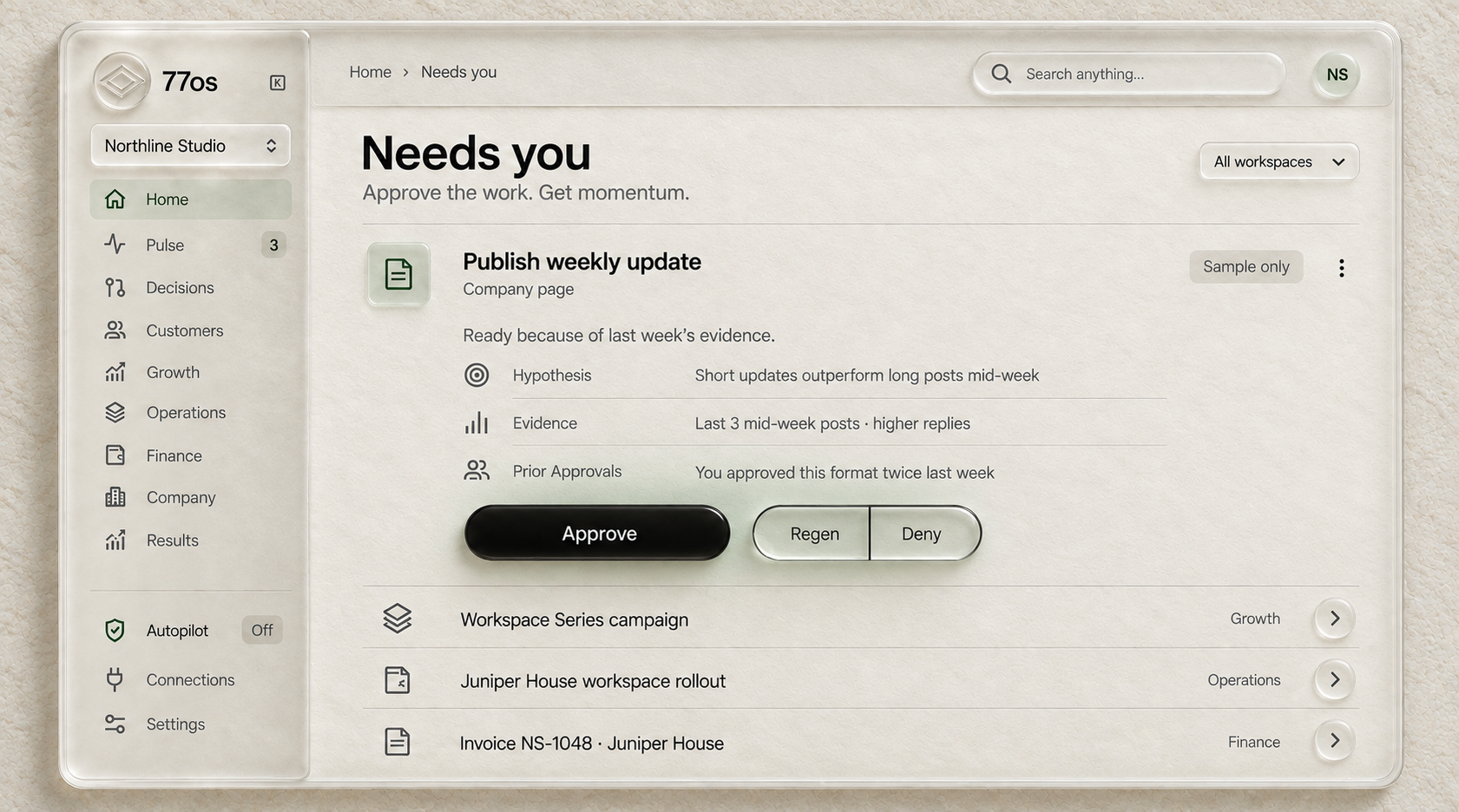
Additional Optional Dashboard. A retained legacy 77os interface image illustrating a development preview. The controls shown in the image are not interactive. Open the full-resolution image to inspect the details. Autopilot is Off.
07 · Business templates
Start with
your business.
Templates are business-specific setups within OfficeSpace. They organize your knowledge, departments and recurring work around a workflow you can describe and review.
Customer inquiries open now
Ecommerce
The ecommerce template is designed to help small business owners coordinate sales, customer care and daily operations. A starting workflow could prepare sales follow-ups, draft answers using supplied product and order information, or organize supplied order and inventory details into a daily review list.
Bring the relevant business context together so your small team can spend less time repeating information and more time reviewing decisions. Ecommerce inquiries are open now; supported workflows, actions and connections are confirmed during your demo.
Other business templates remain in development. Ask about your needs during the demo.
Explore business templates08 · Current scope
Clear about
where things stand.
- Demonstrated locallySynthetic drafts and readback
- Bounded local demonstrations use supplied fictional information to produce drafts and saved records that can be read back. They do not establish live delivery or business outcomes.
- Integration in progressConnections and qualified actions
- Agent connections, tool permissions and supported actions are being integrated and qualified. We confirm the current scope for your business during the demo.
- Planned and in developmentBroader workflows and learning
- Broader department workflows, additional business templates, and growth and learning remain in development. This page explains the intended approach.
09 · Questions
A few things
to know.
Can I use my existing AI agent?
Bring your own AI agent. Give it OfficeSpace. Connect your existing compatible agent, or we can help you choose and set up one. Compatibility depends on APIs, tool access and provider permissions. We confirm the current fit during your demo.
Do I need the dashboard?
The Additional Optional Dashboard is an optional interface for reviewing work. OfficeSpace is the business environment around your agent. The image on this page is a retained legacy 77os development preview; we discuss current interface availability during your demo.
What needs my approval?
You define the goals, permissions and approval requirements. Actions that require approval wait for the right person before they send, post or spend. Preparation and training do not grant permission to act, and proposed policy changes need approval.
What is available now?
We are accepting ecommerce customer inquiries and offering free demos. Local synthetic demonstrations show bounded draft preparation and saved-record readback. Connections and supported actions are being qualified; broader workflows, additional templates, and growth and learning remain in development. Your demo confirms the scope for your business.
Is AI implementation a separate service?
Yes. Our AI implementation services are $2,500 to train and onboard, then $500 a month for continuous training and onboarding. OfficeSpace customers may add team training to help staff use AI and OfficeSpace effectively. Contact us to discuss the training scope.
OfficeSpace for your agents.
See the fit
for your business.
The demo offer includes a one-month free OfficeSpace pilot. Bring a recurring task, the business context and an example of the result you want. We will discuss the current scope together.
Contact us for a free demo.Help your team use it.
OfficeSpace customers may add team training to help staff use AI and OfficeSpace effectively. Ask us about the scope for your team.
Our separate AI implementation services remain $2,500 to train and onboard, then $500 a month for continuous training and onboarding.
Ask about AI implementation